
Camera launch monitor
Garmin Approach R50 Specs & Bay Space Guide: Is It Worth It?
Consider the R50 for a dedicated bay where you want a built-in display and have a protected spot for the device beside the ball. Skip it if you only want basic outdoor practice numbers, or cannot safely clear that spot for every golfer who will use the room.
Product links on this page go directly to manufacturers. We do not earn a commission from them.
Manufacturer photographs
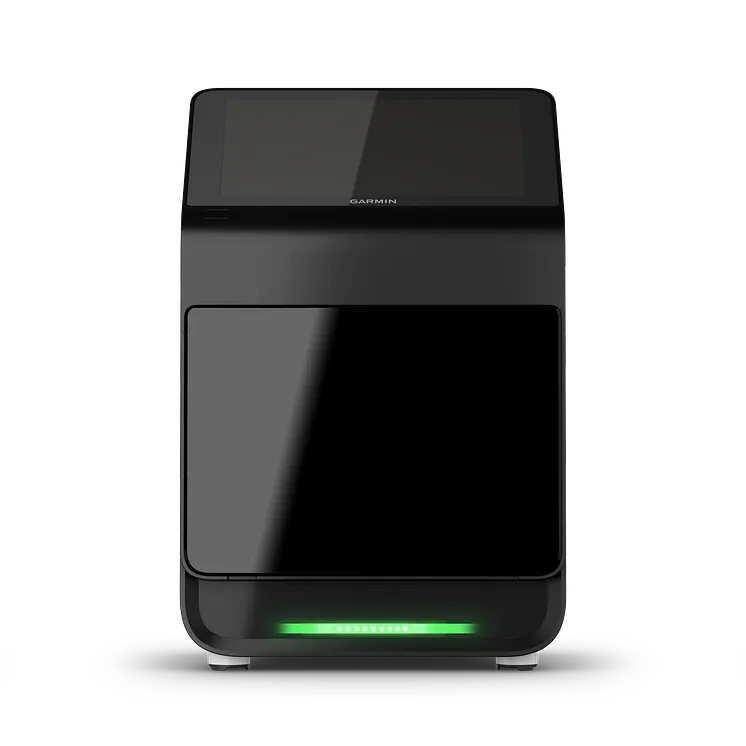
Manufacturer specifications checked . Based on the sources linked below. We have not field-tested these models.
Buying options
Measure sideways first
Garmin’s instructions place the unit about 1.5 feet from the ball position. That is setup guidance, not clearance for a swing or a guarantee your bay is wide enough. Sketch where the unit goes for a left-hander and for a right-hander before assuming they can use the same arrangement.
Decide whether the display pays for itself
The 10-inch screen makes sense if you want to see numbers beside the mat without reserving space for a separate computer display. It does not replace a projector for the experience of playing into a screen. Budget the containment, hitting surface, display and software separately. Check the current Home Tee Hero membership terms if virtual rounds matter.
When to keep the R10
For basic range practice or a safe bay with enough depth for rear radar, the smaller R10 is a different cost and space decision. For an obstructed or unverified room, neither model solves the safety problem. Rent a bay to see which data and simulator controls you actually use before buying a full setup.
Specifications and buying links
Garmin Approach R10 Launch Monitor: Setup Space & Spec Guide